 PawForever
PawForever Blog
How to Make a Dog Memorial Slideshow That Feels Personal
Aug 16, 2026
“Learn how to make a dog memorial slideshow that feels personal with our gentle guide. Discover photo curation tips, music choices, and motion animation.”
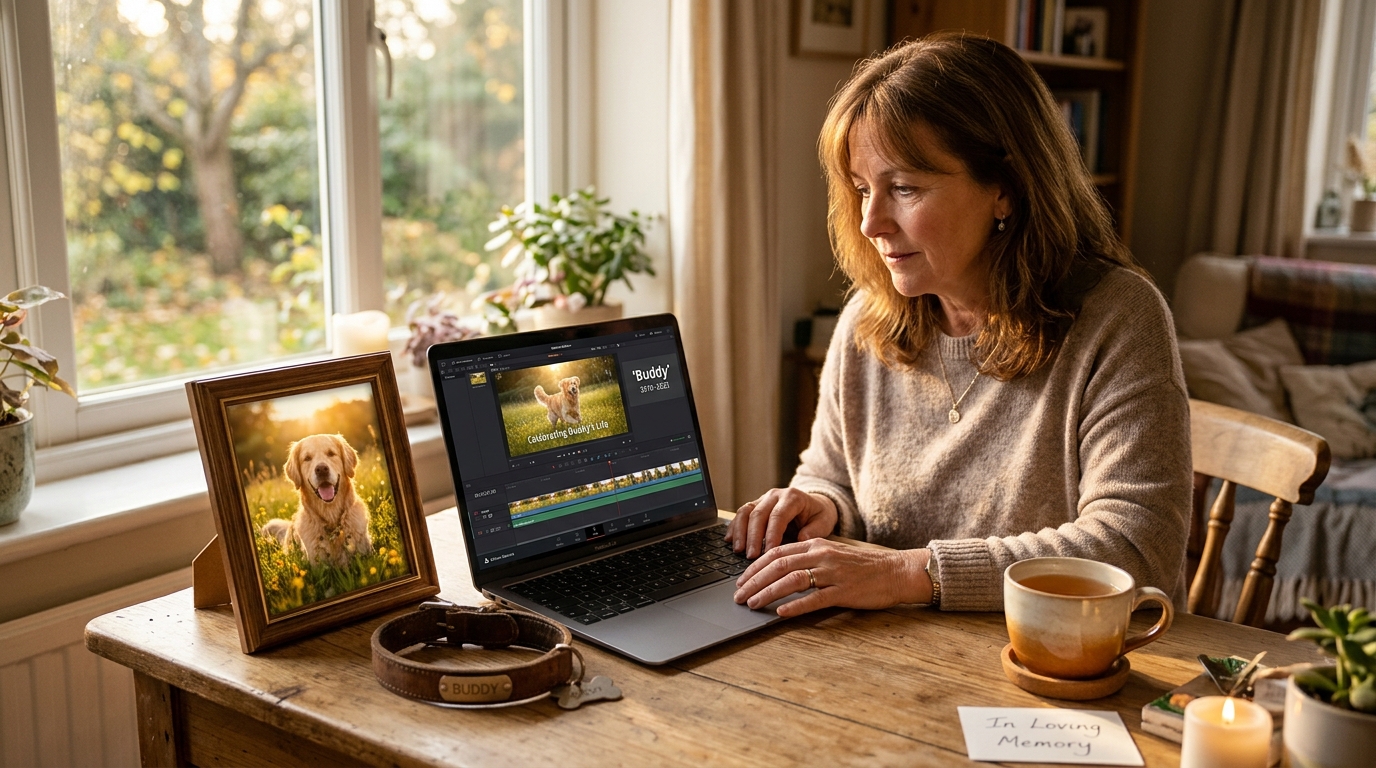
To make a dog memorial slideshow that feels personal, curate 40 to 50 candid photos that highlight your dog’s unique quirks, pair them with an uplifting soundtrack that reflects their true spirit, and weave in subtle motion or video clips rather than relying solely on flat, static images. Keeping the video between three and five minutes ensures an intimate tribute that your family will want to revisit for years to come.
When you lose a beloved dog, opening your phone’s camera roll can feel completely overwhelming. Staring at thousands of photos spanning puppyhood, beach trips, and quiet afternoon naps brings a flood of both gratitude and deep sorrow. You want to honor that once-in-a-lifetime bond, yet assembling a video tribute often feels like an emotional mountain.
Creating a memorial video shouldn't feel like a stressful technical chore or an unbearable emotional trial. With a gentle, step-by-step approach, you can craft a moving keepsake that captures your dog’s soul without spending days trapped in grief fatigue. Whether you have thousands of snapshots or just a handful of treasured prints, here is how to build a heartfelt tribute that celebrates their life.
Key Takeaways
- Ideal Length: Aim for 3 to 5 minutes (roughly 40–50 photos displayed for 3.5 to 4.5 seconds each) to create a rewatchable, emotionally balanced tribute.
- Personality-First Curation: Focus on candid quirks, goofy sleeping habits, and messy adventures rather than only formal, posed portraits.
- Bring Still Photos to Life: If you lack video clips, use dedicated AI tools like PawForever to gently animate your dog's favorite still portraits into lifelike breathing and blinking moments.
- Uplifting Soundtracks: Choose warm acoustic or celebratory songs that honor your dog's energetic joy rather than mournful tracks that make the video difficult to rewatch.
Overcoming camera roll paralysis: The 3-pass photo selection method

One of the hardest parts of making a dog memorial slideshow is sorting through years of digital memories. When you scroll through 5,000 photos, every single picture feels irreplaceable. This emotional weight frequently causes "camera roll paralysis." You end up closing your gallery in tears after just a few minutes.
According to research from the American Pet Products Association, over 85% of dog owners view their pets as irreplaceable family members. Processing pet loss is heavy, so treating photo selection as an all-day project is a recipe for burnout. Protect your emotional energy. Use a structured, three-pass filtering method across short 15-minute sessions instead.
+-------------------------------------------------------------------------+
|                  THE 3-PASS PHOTO SELECTION METHOD                      |
+-------------------------------------------------------------------------+
|  PASS 1: The Heart-React Blitz (15 mins)                                |
|  - Scroll rapidly through your camera roll.                             |
|  - Tap "Favorite" (Heart) on 80-100 photos that spark an instant smile. |
|  - No deliberating, analyzing, or deleting.                             |
+-------------------------------------------------------------------------+
                                    |
                                    v
+-------------------------------------------------------------------------+
|  PASS 2: The 4-Chapter Sort (15 mins)                                   |
|  - Open your Favorites folder.                                          |
|  - Sort into 4 albums: Arrival, Quirks, Adventures, Golden Years.       |
|  - Remove duplicate angles and blurry duplicates.                       |
+-------------------------------------------------------------------------+
                                    |
                                    v
+-------------------------------------------------------------------------+
|  PASS 3: The Golden 45 Trim (10 mins)                                   |
|  - Pick 10-12 standout photos from each album.                          |
|  - Prioritize candid quirks (derpy ears, stolen socks, muddy paws).     |
|  - Result: A clean, cohesive set of 40-50 photos ready for your story.  |
+-------------------------------------------------------------------------+
When Sarah sat down to create a memorial montage for her 12-year-old rescue Beagle, Buster, she initially felt frozen by her 6,200 photos. "Every time I tried to organize an album, I'd get stuck looking at pictures from 2014 and cry," she recalled. "Once I switched to doing 15-minute passes and focused only on Buster's funniest quirks—like his obsession with stealing oven mitts—the project changed from painful to healing."
Prioritize messy authenticity over perfection
The photos that touch your heart years down the road are rarely the crisp, posed studio portraits where your dog was bribed to sit still with a treat. The true magic lives in the candid, unscripted moments that capture their authentic character.
Make sure your selection includes:
- Their signature sleeping positions: Curling into a tight donut, sleeping upside down with paws in the air, or wedging between sofa cushions.
- The "velcro shadow" moments: Waiting patiently outside the bathroom door, resting their chin on your knee during dinner, or watching you cook.
- Comedic mischief: Post-mud bath chaos, laundry basket dives, or head tilts when they heard the word "walk."
- Their favorite humans and furry siblings: Sharing a blanket with kids, greeting your partner at the door, or sunbathing alongside the family cat.
Structuring your story: The 4 chapters of a heartfelt tribute
A truly personal memorial video does not simply dump photos into a timeline alphabetically or chronologically. It tells an intentional story of love, companionship, and gratitude.
Dividing your slideshow into four clear chapters gives your video emotional rhythm. It takes viewers on a journey that honors every phase of your dog's life while keeping the focus firmly on joy.
+-----------------------------------------------------------------------------+
|                     THE 4-CHAPTER MEMORIAL NARRATIVE                        |
+-----------------------------------------------------------------------------+
| Chapter 1: The Arrival & First Hello (Photos 1-8)                           |
| Puppyhood, shelter adoption day, tiny paws, exploring their new home.       |
+-----------------------------------------------------------------------------+
                                       |
                                       v
+-----------------------------------------------------------------------------+
| Chapter 2: The Quirks & "Soul Dog" Habits (Photos 9-22)                     |
| Zoomies, favorite squeaky toys, goofy habits, signature head tilts.         |
+-----------------------------------------------------------------------------+
                                       |
                                       v
+-----------------------------------------------------------------------------+
| Chapter 3: Shared Adventures & Everyday Life (Photos 23-36)                 |
| Hiking trails, beach days, car rides, quiet morning coffee cuddles.         |
+-----------------------------------------------------------------------------+
                                       |
                                       v
+-----------------------------------------------------------------------------+
| Chapter 4: The Golden Years & Peaceful Legacy (Photos 37-45)                |
| Sugar muzzles, sunbeam naps, gentle eyes, concluding on a radiant day.      |
+-----------------------------------------------------------------------------+
Chapter 1: The arrival and first hello (Photos 1–8)
Begin at the very beginning. Show the day you brought them home from the shelter or breeder, their oversized puppy paws, or that initial curious sniff of the living room rug. If you adopted an adult or senior dog and lack puppy pictures, start with the earliest photo of them settling into their forever bed with a relieved, contented sigh.
Chapter 2: The quirks and "soul dog" habits (Photos 9–22)
This is the vibrant heartbeat of your video. Group together images that showcase their unique routines. Did they have a specific spot in the sun they followed across the living room carpet? Did they sprint around the yard after every bath? Did they make a ridiculous face whenever the vacuum cleaner appeared? These slides will bring laughter through tears and remind everyone of their unmistakable personality.
Chapter 3: Shared adventures and everyday comfort (Photos 23–36)
Highlight the rhythm of your shared life together. Include photos of mountain hikes, beach days, camping trips, or riding in the passenger seat with ears flapping in the breeze. Interweave these high-energy adventure shots with quiet, everyday moments—curling up on a rainy Sunday afternoon or resting their head on your lap while you read.
Chapter 4: The golden years and peaceful legacy (Photos 37–45)
Honor their graceful senior transition. Celebrate the gentle "sugar face" grey muzzle, the slower strolls through favorite parks, and the profound depth of love in their eyes.
[!IMPORTANT] The Rule of the Final Slide: Never end your memorial slideshow on a veterinary clinic photo, an IV catheter, or an image marked by pain. Always close your video on a radiant, golden-hour portrait of your dog at their happiest—smiling, vibrant, and surrounded by light. That's the image your heart needs to hold onto.
What if you only have still photos? Bringing memories to life with motion

One of the most painful regrets grieving pet owners share on forums like Reddit's r/Petloss is realizing they took thousands of still photos, but rarely pressed record on video mode. When your dog passes away, you ache to see them move again. You want to watch their eyes blink, their ears perk up, and their chest rise and fall in gentle rhythm.
Traditional slideshow makers try to mask this absence by applying basic "Ken Burns" pan-and-zoom motion across flat images. While helpful, flat camera pans can't recreate the living presence of your pet.
+-------------------------------------------------------------------------+
|                  STATIC SLIDESHOW vs. MOTION ANIMATION                  |
+-------------------------------------------------------------------------+
| Feature                     | Flat Slideshow Maker | PawForever AI      |
+-----------------------------+----------------------+--------------------+
| Visual Dynamic              | 2D Pan & Zoom        | 3D Living Motion   |
| Pet Facial Realism          | Completely Frozen    | Blinking, Smiling  |
| Tail & Ear Movement         | Static               | Gentle Movement    |
| Soundtrack Integration      | Generic Loops        | Memorial Audio     |
| Technical Complexity        | Manual Keyframing    | 1-Click Upload     |
| Privacy Security            | Varies               | 24-Hr Auto Delete  |
+-------------------------------------------------------------------------+
Modern pet-specialized AI technology has bridged this gap. With dedicated platforms like PawForever, you can transform any single cherished portrait into a high-definition 10-second animated video. The AI specifically recognizes canine facial anatomy, generating natural blinks, soft head tilts, and gentle breathing motions without requiring any technical prompt writing.
David experienced this firsthand after losing his 14-year-old Golden Retriever, Max. "I had over 3,000 photos of Max, but only two short, low-quality video clips from years ago," David explained. "Using PawForever's Memorial Memories template on Max's favorite porch portrait made him look right back at me with that familiar gentle blink. Inserting that 10-second moving clip into the middle of our family memorial slideshow completely transformed the video from a photo album into a living tribute."
If you want to create a stunning moving centerpiece for your slideshow, you can also claim a free pet portrait to generate a high-resolution artistic tribute painting of your dog to frame or use as your opening title slide.
+-------------------------------------------------------------------------+
|               HOW TO ANIMATE YOUR DOG'S MEMORIAL PHOTO                  |
+-------------------------------------------------------------------------+
|  Step 1: Select a clear, well-lit photo where your dog's face is visible.|
|  Step 2: Upload to PawForever (No complex AI prompts required).         |
|  Step 3: Select the "Memorial Memories" or "Rainbow Bridge" template.   |
|  Step 4: Download your 10-second HD moving tribute in under 2 minutes.  |
|  Step 5: Drop the moving clip into your slideshow timeline as an anchor.|
+-------------------------------------------------------------------------+
Curating the soundtrack: Choosing music that celebrates their spirit
Music carries the emotional soul of your slideshow. However, a common mistake is selecting songs that are so overwhelmingly sad that family members can never bear to watch the video a second time.
Your dog was not a tragedy; your dog was a vibrant, joyful chapter of your life. Choose music that reflects their true personality—whether that was a bouncy, goofy retriever spirit or a calm, soulful guardian nature.
+-----------------------------------------------------------------------------+
|                      MEMORIAL SOUNDTRACK SELECTION GUIDE                    |
+-----------------------------------------------------------------------------+
| VIBE A: Joyful Celebration of Life                                          |
| Best for: High-energy dogs, adventure companions, goofy clowns.             |
| Songs:                                                                      |
| - "Somewhere Over the Rainbow / What a Wonderful World" - Israel K.         |
| - "You've Got a Friend in Me" - Randy Newman                                |
| - "Here Comes the Sun" - The Beatles (or Acoustic Fingerstyle)              |
| - "What a Wonderful World" - Louis Armstrong                                |
+-----------------------------------------------------------------------------+
| VIBE B: Warm, Reflective & Heartfelt                                        |
| Best for: Gentle soul dogs, senior companions, quiet couch cuddlers.        |
| Songs:                                                                      |
| - "Landslide" - Fleetwood Mac (or Acoustic Instrumental)                    |
| - "Maggie's Song" - Chris Stapleton                                         |
| - "You'll Be in My Heart" - Phil Collins (Acoustic Strings)                 |
| - "Fields of Gold" - Eva Cassidy                                            |
+-----------------------------------------------------------------------------+
| VIBE C: Ambient & Personal Audio Touches                                    |
| Best for: Deeply intimate keepsakes and family archives.                    |
| Techniques:                                                                 |
| - Layering recorded collar jingles over the intro.                          |
| - Fading in a short phone voice memo of their happy bark or deep yawn.      |
| - Letting the song gently fade out under a serene final photo.              |
+-----------------------------------------------------------------------------+
Layering real-world sounds for deeper intimacy
If you have old phone videos, voice memos, or live photos that captured audio, extract those audio snippets. Fading in the gentle sound of their collar jingling, their paws trotting across the kitchen floor, or a soft contented sigh right as the music begins creates a deeply resonant connection that visual slides alone cannot match.
Design, pacing, and technical polishing: Making it seamless
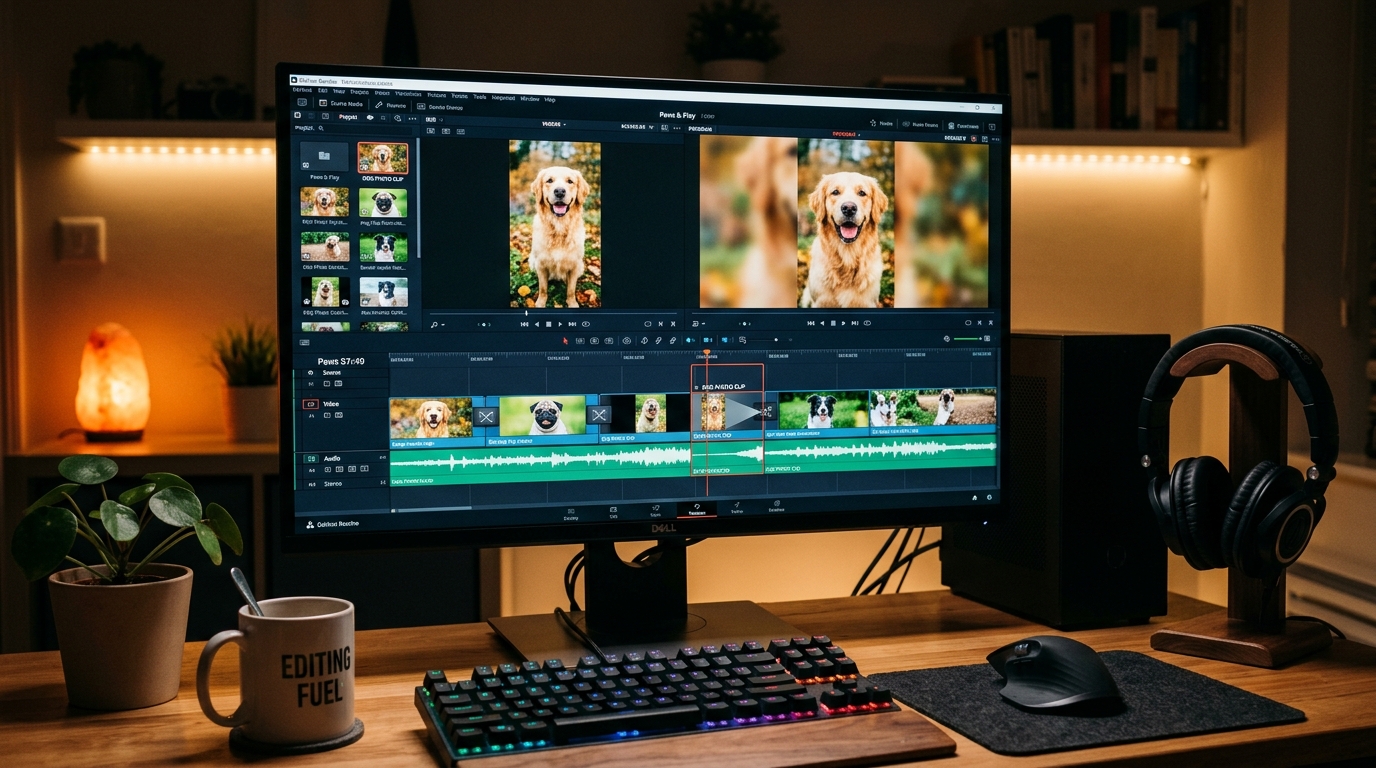
You do not need professional video editing software like Adobe Premiere to build an exquisite tribute. Free, accessible tools like Canva, iMovie, InShot, or CapCut offer all the functionality you need. The difference between an amateur slideshow and a polished memorial comes down to pacing, framing, and simplicity.
1. Master the slide duration sweet spot
Pacing is critical. If photos change too quickly (under 2 seconds), viewers feel rushed and cannot absorb the emotional detail. If slides linger too long (over 6 seconds), the video drags.
- Optimal Photo Duration: Set each static photo to display for 3.5 to 4.5 seconds.
- Moving Clips & Video: Let animated clips or short phone videos play for 6 to 10 seconds so viewers can take in the natural motion.
2. Fix vertical phone photos with blurred background mirroring
Phone photos are almost always vertical (9:16), while slideshows are typically viewed on laptops or TVs in horizontal widescreen (16:9). Placing a vertical photo directly onto a widescreen canvas leaves harsh, empty black bars on both sides.
Instead, duplicate the photo in your editor, scale the background layer to fill the entire 16:9 canvas, and apply a 30% Gaussian Blur. This creates a soft, cohesive aesthetic found in professional documentaries.
+-----------------------------------------------------------------------------+
|                  VERTICAL PHOTO FIX (BLURRED MIRRORING)                     |
+-----------------------------------------------------------------------------+
|  [                     BLACK EMPTY SPACE                     ] (Awkward)    |
|  [                 |===================|                     ]              |
|  [                 |   Vertical Photo  |                     ]              |
|  [                 |===================|                     ]              |
+-----------------------------------------------------------------------------+
                                       |
                                       v
+-----------------------------------------------------------------------------+
|  [~~~~~~~~~~~~~~~~~|===================|~~~~~~~~~~~~~~~~~~~~~] (Polished)   |
|  [  Soft Blurred   |   Vertical Photo  |    Soft Blurred     ]              |
|  [ Mirror of Image |    (Sharp, HD)    |   Mirror of Image   ]              |
|  [~~~~~~~~~~~~~~~~~|===================|~~~~~~~~~~~~~~~~~~~~~]              |
+-----------------------------------------------------------------------------+
3. Use subtle transitions only
Resist the urge to use dramatic 3D page flips, star wipes, or bouncing slide effects. These flashy transitions distract from your dog's memory.
- Stick exclusively to gentle cross-dissolves (crossfades) lasting between 0.8 and 1.2 seconds.
- Smooth transitions allow the viewer's gaze to drift peacefully from one memory to the next.
4. Add subtle, story-driven micro-captions
Instead of cluttering photos with full paragraphs or dry dates, add short, poignant captions in a clean sans-serif or elegant serif font:
- "The master of stealing socks (2018)"
- "Her favorite spot in the morning sun"
- "First day meeting his little human sister"
- "Always by my side"
Step-by-step checklist: From camera roll to completed keepsake
Here is a practical breakdown to take you from raw photos to a completed memorial video in one weekend:
+-------------------------------------------------------------------------+
|                  MEMORIAL SLIDESHOW PRODUCTION WORKFLOW                 |
+-------------------------------------------------------------------------+
| Phase 1: Preparation (Day 1)                                            |
| [ ] Set a 15-minute timer and favorite 80-100 photos on your phone.     |
| [ ] Sort into the 4 narrative chapters (Arrival, Quirks, Adventures,    |
|     Senior).                                                            |
| [ ] Narrow your selection to 40-50 total photos.                        |
|                                                                         |
| Phase 2: Motion & Media (Day 1 Evening)                                 |
| [ ] Choose your dog's favorite portrait and generate a moving clip on   |
|     PawForever (https://www.pawforever.app/create).                     |
| [ ] Select 1-2 uplifting songs that match your dog's energy.            |
|                                                                         |
| Phase 3: Assembly & Editing (Day 2)                                     |
| [ ] Import media into Canva, iMovie, or InShot.                         |
| [ ] Apply 3.5 to 4.5-second timing per slide and soft crossfades.       |
| [ ] Apply blurred mirroring to vertical phone photos.                   |
| [ ] Add 4-6 micro-captions highlighting special quirks.                 |
| [ ] Check the final slide to ensure it ends on a radiant sunny day.     |
|                                                                         |
| Phase 4: Backup & Sharing (Day 2 Evening)                               |
| [ ] Export in 1080p HD or 4K.                                           |
| [ ] Save to two secure cloud locations (Google Drive / iCloud).         |
| [ ] Share privately with close family and friends.                      |
+-------------------------------------------------------------------------+
Frequently asked questions
How many photos should be in a dog memorial slideshow?
A dog memorial slideshow should ideally contain between 40 and 50 photos. At an average viewing speed of 3.5 to 4.5 seconds per photo, this creates a 3 to 4-minute video. This length is long enough to tell their complete life story without overwhelming viewers with emotional fatigue.
What should I do if I only have still photos and no videos of my dog?
If you only have still photos, you can bring them to life using AI-assisted pet animation tools like PawForever. These specialized tools recreate subtle head tilts, gentle eye blinks, and natural breathing motions from a single photo, providing the moving visual centerpiece traditional still photos lack.
How do I prevent vertical phone photos from having ugly black bars?
To eliminate black bars on vertical phone photos in a widescreen (16:9) video, duplicate the photo layer on your timeline. Place one copy in the background, stretch it to fill the entire frame, and apply a 30% Gaussian blur. Place the original sharp photo in the center.
What are the best songs for a dog memorial video that aren't too depressing?
Uplifting acoustic tracks like Israel Kamakawiwo'ole's "Somewhere Over the Rainbow / What a Wonderful World," Louis Armstrong's "What a Wonderful World," or acoustic instrumental versions of Fleetwood Mac's "Landslide" provide warm, celebratory tones that honor your dog's joyful spirit rather than dwelling strictly on grief.
How long does it take to make a dog memorial slideshow?
Using the structured 3-pass photo filtering method and simple web-based tools, you can curate and assemble a polished dog memorial slideshow in about two to three hours spread across a weekend.
Conclusion: A lasting tribute to your best friend
Creating a dog memorial slideshow is an act of deep love. While the process may bring tears, it also offers a profound opportunity to celebrate the joyful, loyal, and goofy moments that made your dog such an irreplaceable part of your life. By pacing your photo curation, structuring your narrative around their unique personality, and bringing favorite still pictures into gentle motion, you create a timeless keepsake that keeps their spirit alive in your home.
When you feel ready to begin, take that first gentle step. Choose one photo that captures your dog's brightest smile and visit PawForever to create a pet memory video. Within minutes, you can watch your best friend's memory move with warmth and life once again—safely preserved for all the days ahead.